FlexoPrep
EyedropperFlexoColorDTP panel

Full control of dot percentages

The Eyedropper shows the inks at the clicked point and their total as they will reach the plate: with every layer, transparency and overprint taken into account. A value under the minimum dot is marked green.
FlexoColorDTP panel

Control Preview

Control Preview in the panel highlights, across the whole design, the dots under the limit and the ends of vignettes that would break off on press. It shows each ink alone or several together, every dot from the limit as solid ink, and dot gain.

To the eye the bowl is white, yet three inks print on it. With every dot from 4% shown as solid ink you see at once where each ink prints.

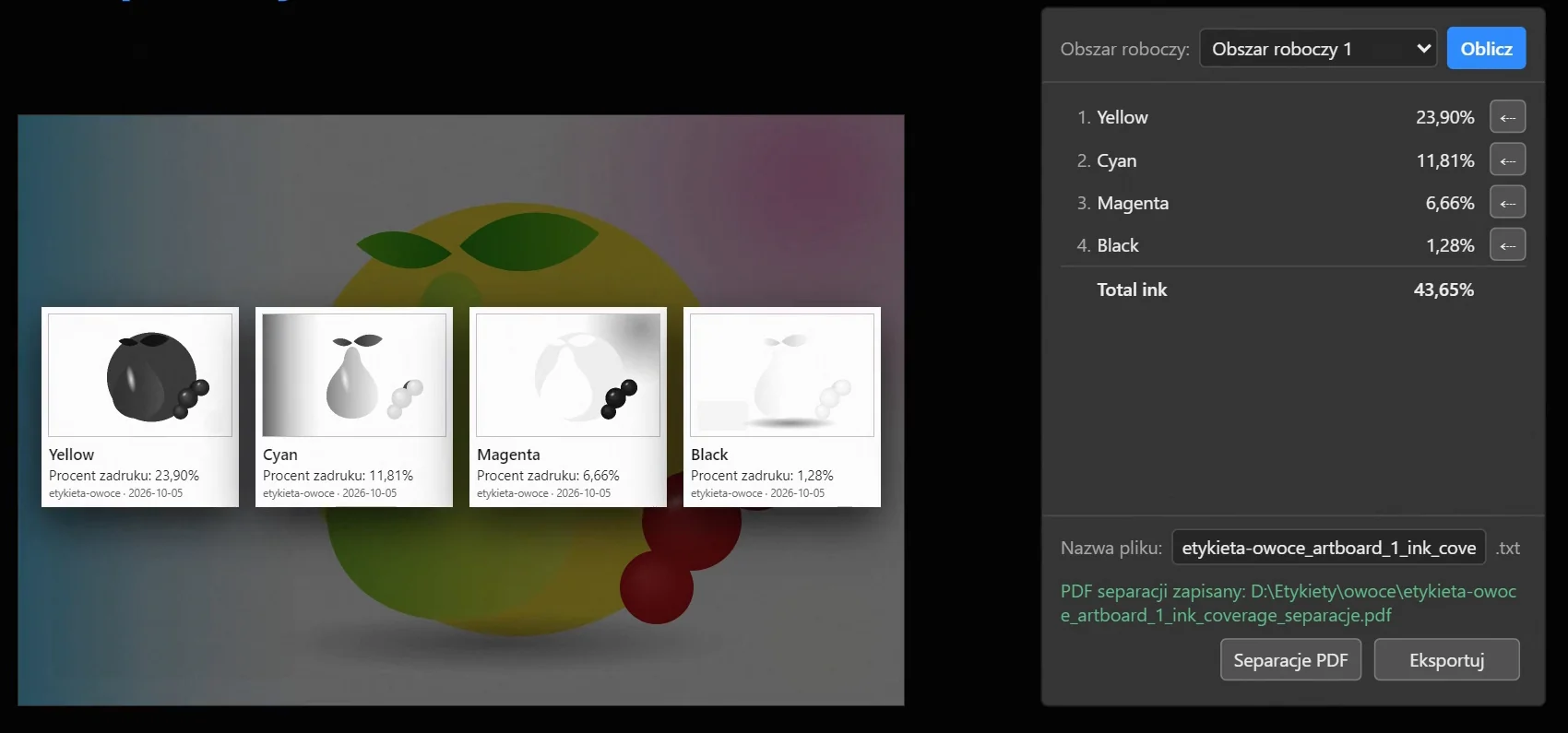
PDF separations, a page per ink, and the ink coverage panel with Yellow, Cyan, Magenta, Black
Ink Coverage panel

Ink coverage and PDF separations

The coverage of each ink and the total of all of them on the chosen artboard, for quoting and ordering ink. Inks from one plate, SAMBA for example, are joined into one separation and one percentage. PDF separations for the printer: a page per plate.

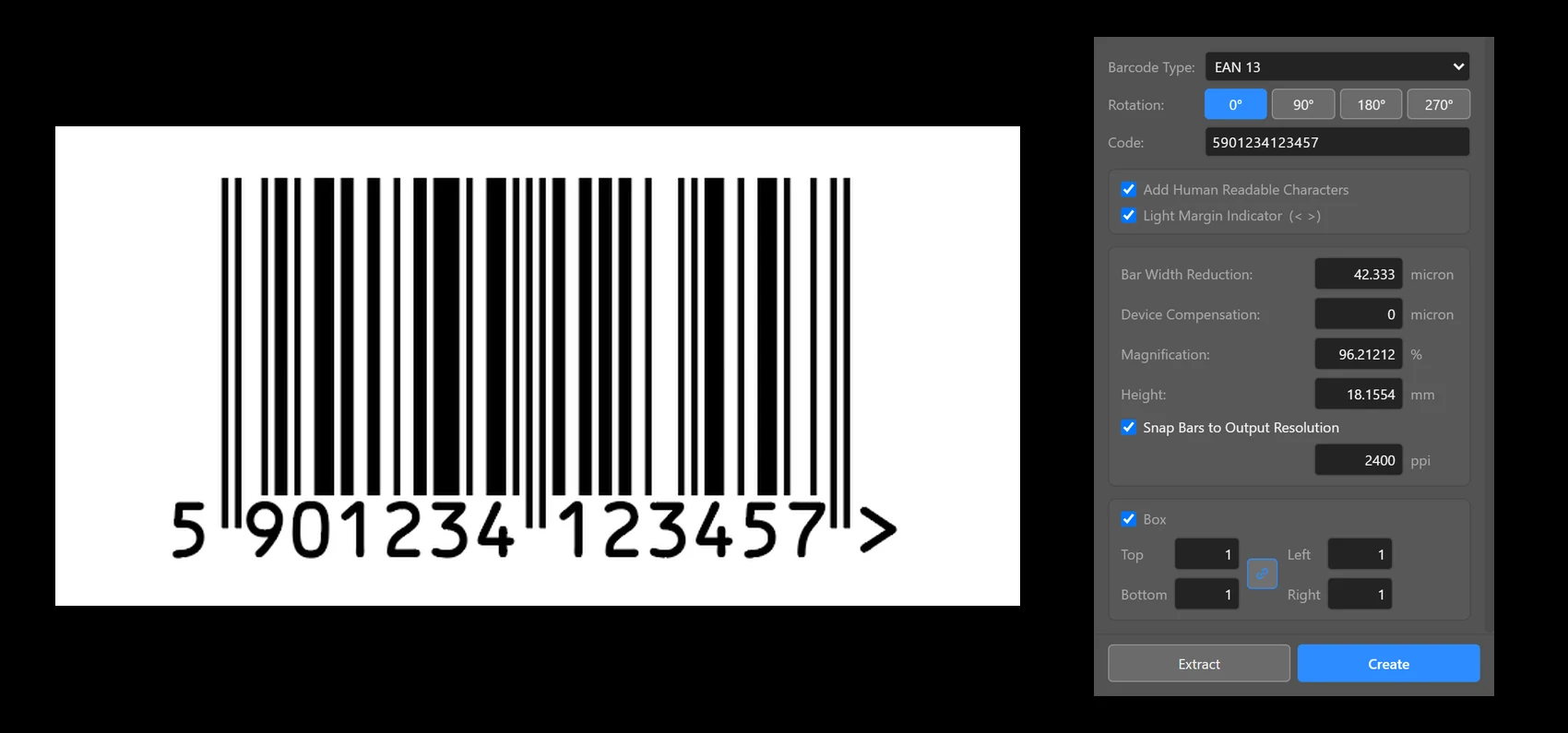
An EAN-13 barcode 5901234123457 and the Barcode panel
Barcode panel

EAN barcodes for flexo

EAN-13 and EAN-8 with bar width reduction in microns and fitting to the imaging resolution. OCR-B digits as outlines, the quiet zone mark and a white box. Extract reads the number from a barcode already in the design.

Trapping ToolTrapping panel

Trapping one object or a group

Click an object or draw a frame round several and a card appears by the cursor: spread, choke, Auto by ink density, or overprint. Plus and minus change the width, and the trap is on the object at once. Overprinting black and white are skipped automatically. Where possible the trap is built into the object's appearance, so it is easy to change or remove.

Trapping panel

Trapping from the panel

The panel traps everything selected at once at the width you set, spread or choke, and says what it did: how many objects were trapped and what it left alone, such as overprinting black and white. Remove takes the trap off again.

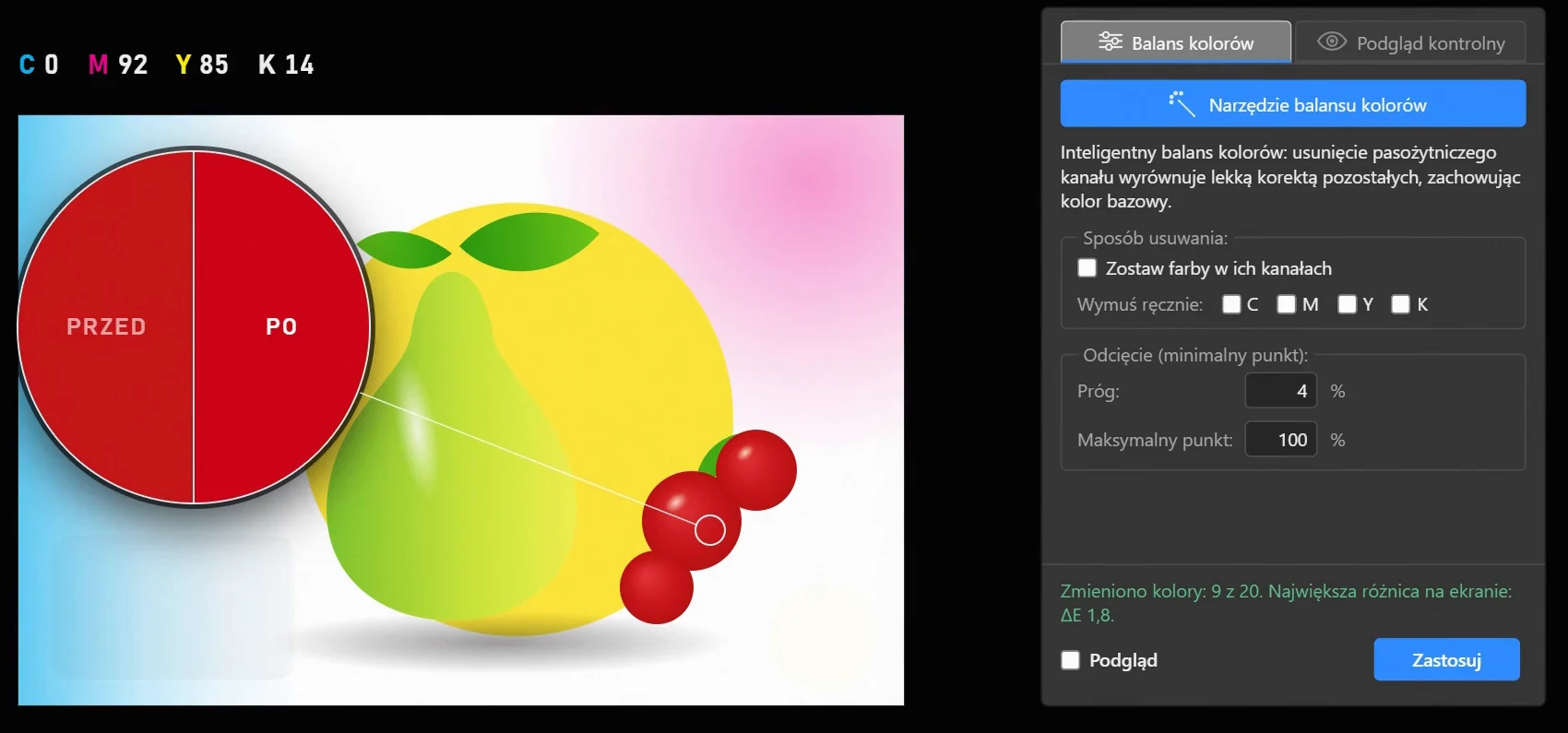
Color Balance ToolFlexoColorDTP panel

Cleaning stray inks out of the channels

Select objects with the tool and a card with the lens and OK comes up by the cursor; a click on the selection brings the same card. OK corrects them: stray ink, such as cyan in a red or a brown, goes, and the other inks are adjusted slightly so the colour does not change. By the cursor you see whether anything changed.

The minimum and maximum dot are kept, and vignettes end at the minimum dot instead of breaking off to zero.

Color BalanceA red before and after correction under a loupe.
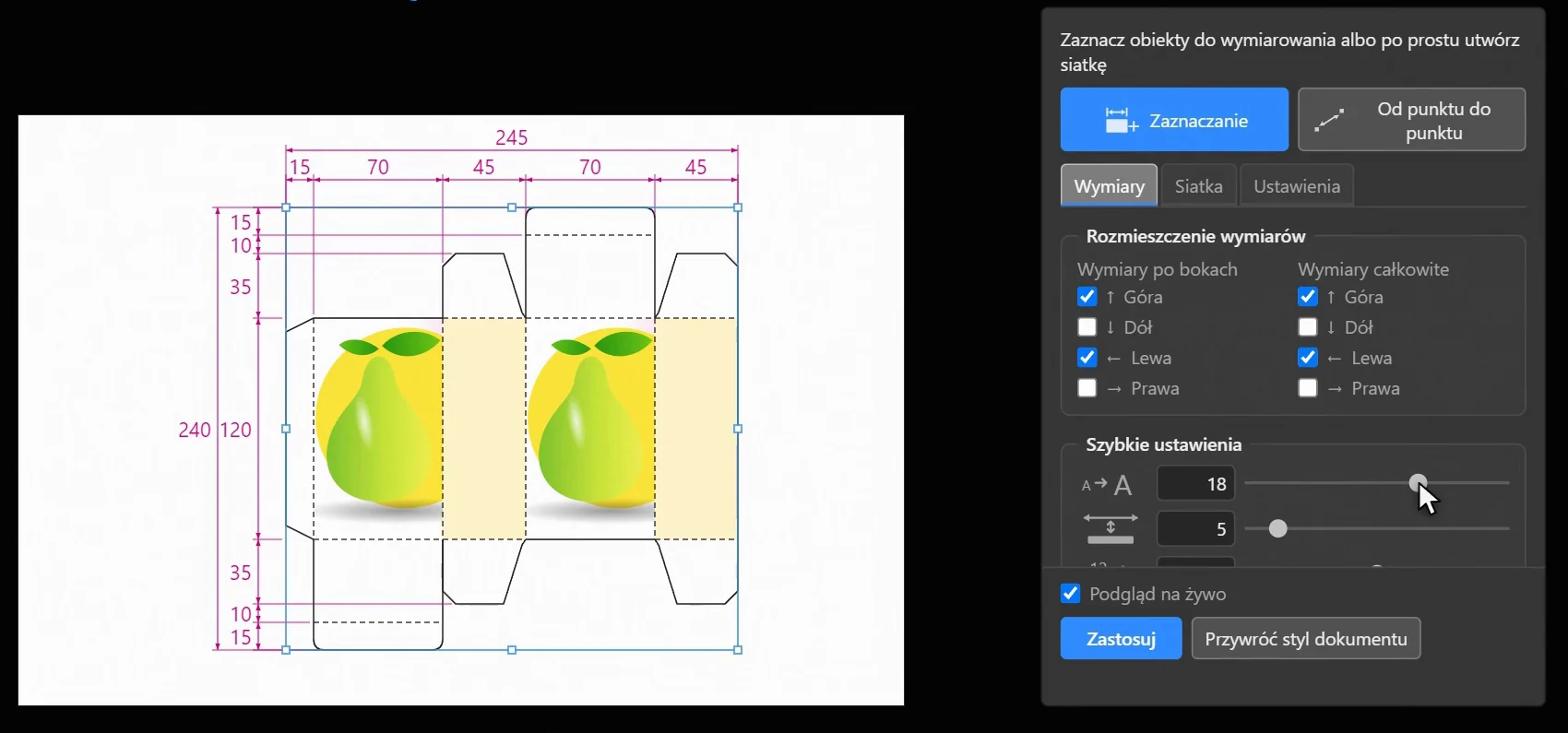
Quick DimensioningDimensioning panel

One-click dimensioning of any selected objects

Select objects with a frame and a card of sides appears by the cursor: a tick at top, bottom, left or right draws a dimension chain or an overall dimension at once. The panel adds a grid of columns and rows. Dimensions are in millimetres and follow the objects when you move or change them. There are many settings, and dimensioning styles are saved.

Dimensioning panelDimension chains, an overall dimension and a point-to-point dimension.
Point to Point DimensionDimensioning panel

Dimensions from point to point

Drag from one point to another and the dimension is there. Dragged nearly level or upright it measures across or up; clearly slanted, along the points. The ends snap to anchor points and Smart Guides, and the side follows the cursor until you let go.

The ends stay on the objects under them: move an object and the dimension follows.

Select Inside

Quick, convenient selection

Start the frame anywhere, on the background too, and nothing moves. Only what lies wholly inside the frame is selected, parts of groups included, and before you let go you see highlighted the objects that will be taken. With Ctrl the frame turns, and the lens by the selection brings it to the whole screen.

The Trapping Tool, the Color Balance Tool and Quick Dimensioning select the same way.

Film about FlexoPrep

Captions in Polish.

WindowsIllustrator 2020 or newer.
macOSIllustrator 2022 or newer, Apple and Intel processors.
LanguageInterface in Polish and English.

Licence pricing

Adobe Illustrator

FlexoPrep

590 €

one payment, one computer

Benefits: cleaning stray inks out of the channels, dot control, trapping, dimensioning of any objects, ink coverage, EAN barcodes.

Buy

Illustrator and Photoshop

FlexoPrep + FlexoSplit

990 €

one payment, one computer

Benefits: both programs with every feature.

Buy

Prices for businesses, net of VAT. Your country's VAT is added at checkout; EU businesses with a VAT number do not pay it. Polar takes the payment.

FlexoPrep modules separately

  • Colour controlEyedropper, Control Preview and Color Balance199 €Buy
  • Ink coveragewith PDF separations149 €Buy
  • BarcodeEAN-13 and EAN-899 €Buy
  • Trappingthe tool and the panel150 €Buy
  • Dimensionsquick dimensioning, point to point, Select Inside99 €Buy

Also for Adobe Photoshop

  • FlexoSplitBenefits: image separation, CMYK with a mini trap, Pantone with a trap, SAMBA channels.690 €Buy
  • Trial15 days with every feature, no payment and no account.
  • LicenceNo end date, for one computer. Fixes are in the price; new versions with new features may be paid. Change of computer in your customer account.
  • SystemsWindows and macOS. Internet needed: without it the program works for at most 15 days.

Questions and suggestions

The reply will come to the e-mail address you enter.

What you send is used only to reply: privacy policy.